Guides
Physical Therapy Appointment Reminders: Text and Email Samples That Work
Physical therapy appointment reminder texts and email samples for US clinics, with opt-out language, time-zone rules, and checks before sending.
What to take away
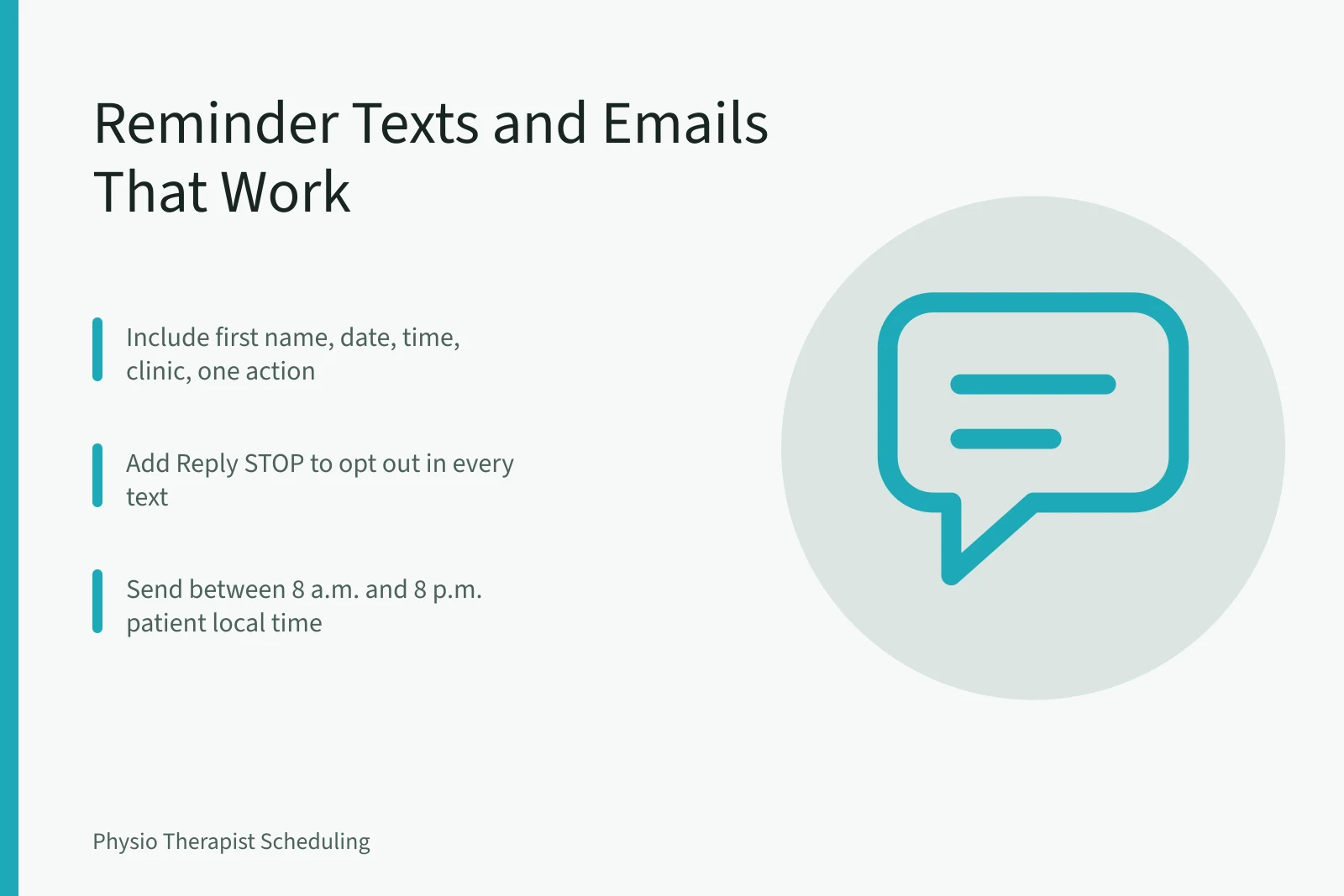
- Physical therapy appointment reminder texts and emails should show the patient's first name, date, time, clinic name, and a clear action.
- Include "Reply STOP to opt out" in every text and an unsubscribe link in every email.
- Send at the patient's local time, not the clinic's, especially across California and New York.
- Check each message against a sample script and a short test list before you send to a live list.
A reminder fails when the patient cannot tell who sent it, when the visit is, or how to cancel.
Before you send
A physical therapy appointment reminder text or email works only when the phone number or email address is current and belongs to the patient. Confirm consent for reminders at intake and record the method. If a patient gives a California number but lives part of the year in New York, ask which time zone to use for messages.
Use a platform that stores opt-out timestamps and delivery failures, and see the guide to pick HIPAA-compliant scheduling software for US physical therapy clinics. HIPAA permits appointment reminders as treatment communications, but you must limit the information to the minimum necessary. Use only the patient's first name, appointment date, time, and clinic name, not the diagnosis or body part.
Text messages need an opt-out. The standard short code format is Reply STOP to opt out. Email must include an unsubscribe link that takes effect within 10 business days. For patients in California, a deletion request may extend to the reminder log. For patients in New York, treat an opt-out reply as final until the patient reconsents in writing.
The reminder sequence
- Pull the next day's appointment list and sort patients by state and time zone.
- Write a short message with the patient's first name, date, time, clinic name, and one action.
- Add the opt-out: Reply STOP to opt out for text, or an unsubscribe link for email.
- Send the message so it lands between 8 a.m. and 8 p.m. local time for each patient.
- Record the send result: delivered, failed, or opted out, and keep that log.
The step that decides the result
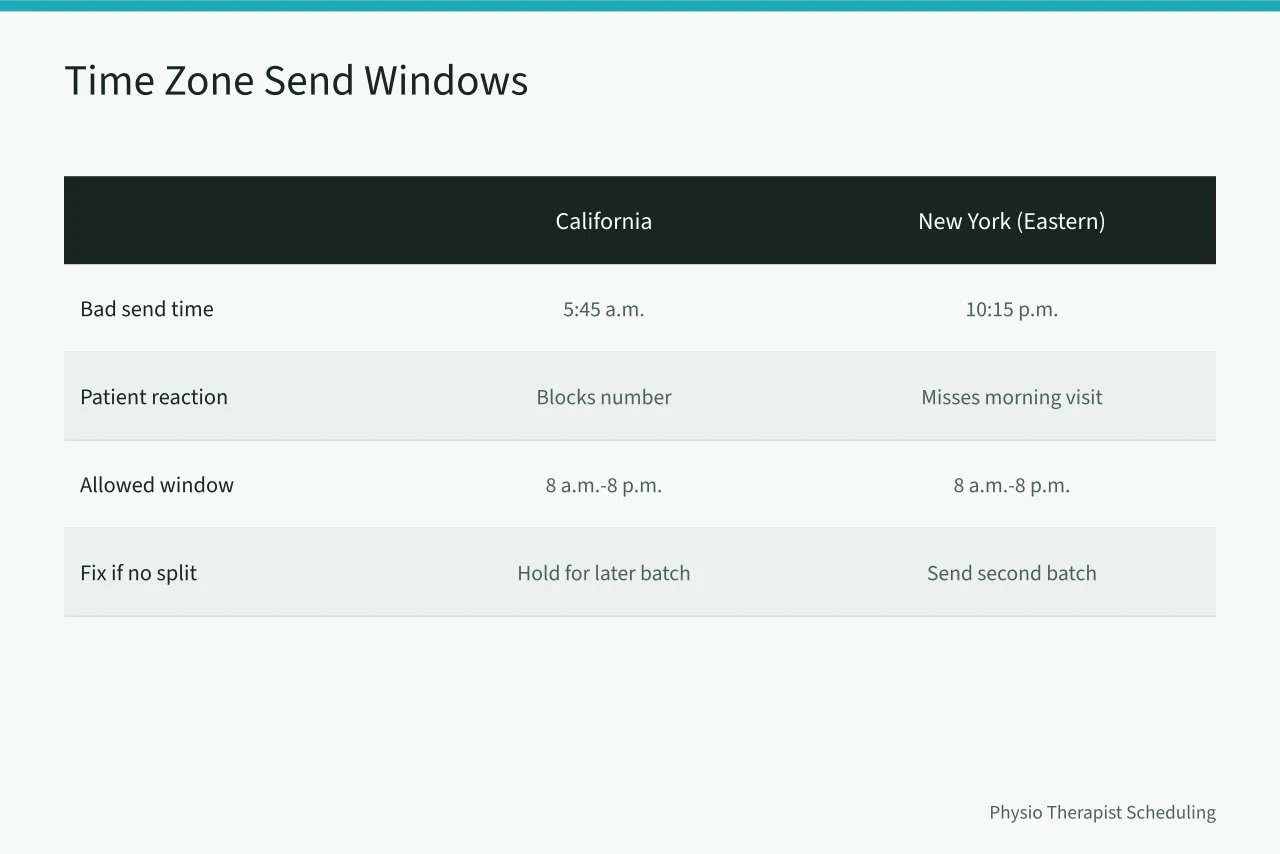
Step 4 decides whether the reminder helps. A California patient who receives a text at 5:45 a.m. Pacific is likely to block the number. A New York patient who receives an email at 10:15 p.m. Eastern may not see it before the morning visit. Use the patient's zip code to set the local send window. If your software cannot split by time zone, send reminders in two batches or hold the California batch for a later send. For clinics that want to reduce missed visits, the guide to reduce physical therapy no-shows explains the follow-up sequence.
Example reminder wording
| Channel | Sample message |
|---|---|
| Text | Hi [First Name], your physical therapy visit at [Clinic Name] is tomorrow at [Time] [Time Zone]. Reply STOP to opt out. |
| Subject: Your physical therapy appointment tomorrow. Hi [First Name], this is a reminder that your appointment at [Clinic Name] is tomorrow at [Time] [Time Zone]. Call [Phone] to cancel or reschedule. Unsubscribe: [link]. |
Checking your work
Use this list before sending:
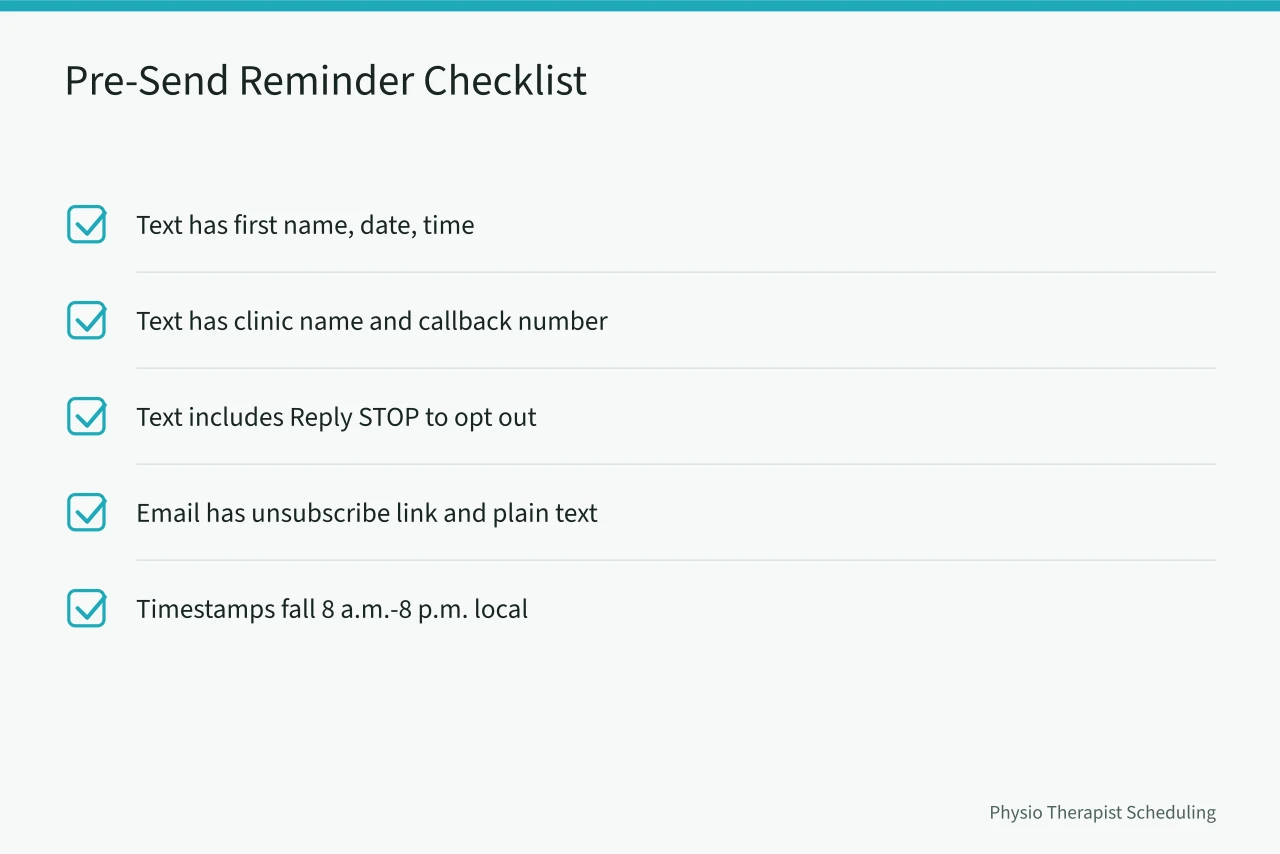
A visible check is to send a test reminder to two numbers, one with a California area code and one with a New York area code. Confirm the delivered timestamps show local morning in both. If the timestamps are wrong, the time-zone rule has failed. AHRQ's office-based care guidance says front-desk teams should confirm contact details at each visit, which reduces failed reminders.
What to do when a step goes wrong
The most common failure is a patient who replies STOP or clicks unsubscribe and still receives a reminder later. When that happens, remove the number or email from that reminder type immediately and log the date. Do not send the same patient another text reminder. For urgent changes, call the patient instead.
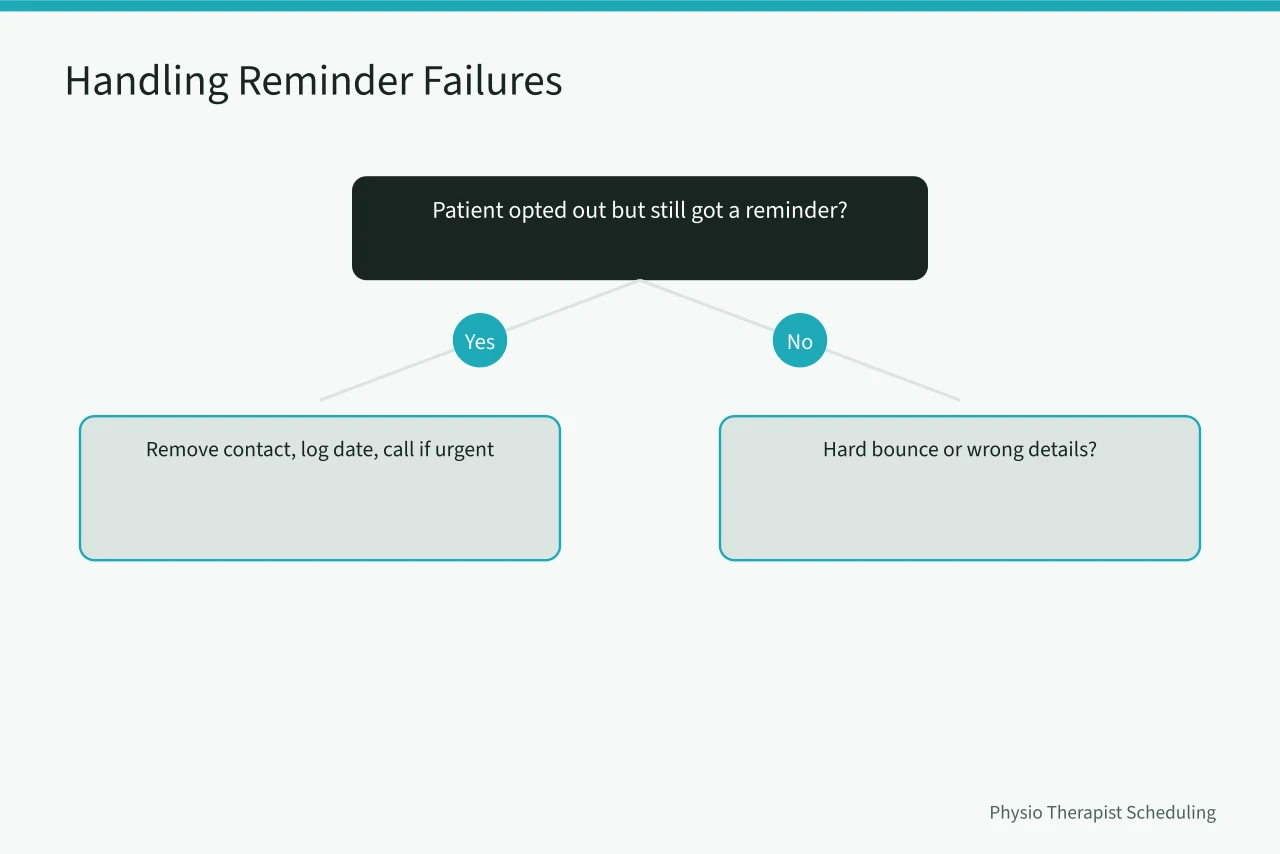
A second common failure is a hard bounce. Mark the contact as invalid and ask the front desk to verify the number at the next visit. If a patient reports receiving someone else's appointment details, stop the batch and check the merge fields before sending again. New York clinics should review New York physical therapy no-show policies before changing the reminder or cancellation script.
When to stop and hand it to a professional
Stop sending bulk reminders if a patient states that they opted out and still received a message after the opt-out. Also stop if two or more patients report seeing another patient's appointment details in the same week. That condition means the reminder process has a compliance or data problem. Hand the matter to a health care attorney or a HIPAA compliance consultant. Do not try to fix a data leak by sending an apology blast.
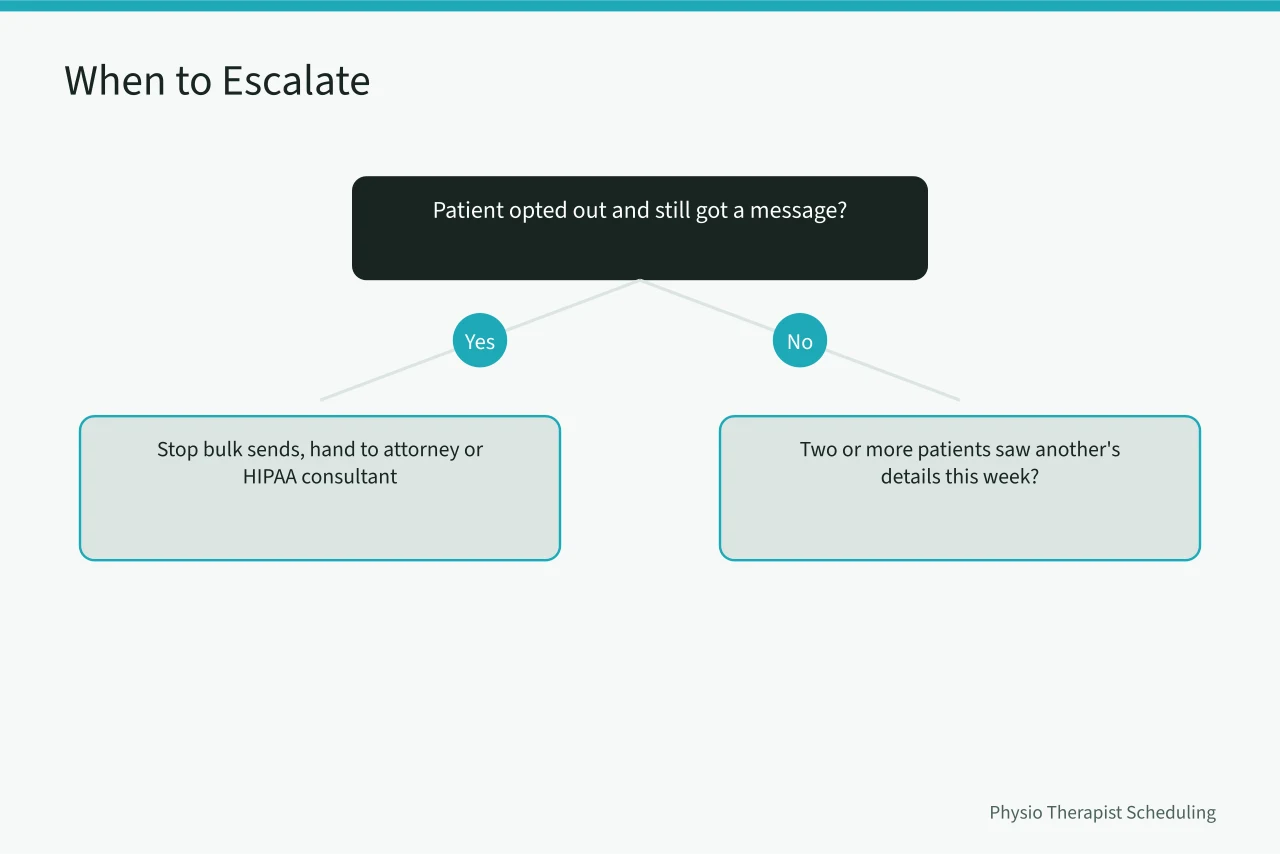
The HIPAA Privacy Rule requires safeguards for protected health information, and a breach of this kind may need reporting to the patient and to HHS. For California direct access patients, reminder timing may interact with physical therapy scheduling in California.
Common questions
Do I need a patient's written consent before sending a physical therapy appointment reminder text? No. A verbal consent or a check box at intake is enough, but you must keep a record. Written consent is safer for marketing messages, which are not appointment reminders.
Can I send reminders to patients in different time zones from the same message batch? Yes, if your software supports a per-patient time-zone field. If it does not, split the batch by state or zip code and set the send time for the earliest patient's local window.
What should I do if a patient replies STOP to a reminder text? Remove that number from text reminders immediately. Mark the opt-out in the patient record, and use phone calls for urgent schedule changes.
When is a reminder problem serious enough to call a compliance professional? Call one if a patient reports receiving another patient's appointment details. Also call if a patient says they opted out but still received a message after the opt-out.